 PinMySpot
The problem it solves
You park in a giant lot at a stadium, a festival, or a shopping center the size of a small town. Three hours later every row looks the same and you're pressing the key fob and listening for a chirp.
PinMySpot fixes that with one tap when you get out of the car. It isn't only for cars, either. A campsite, a trailhead, a hotel in a city you don't know: if you need to get back to it, pin it.
How it works
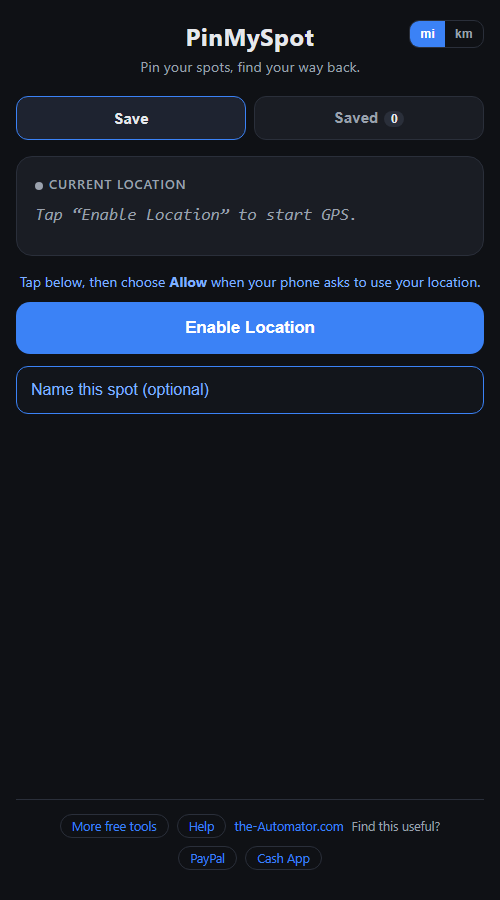
- Tap Enable Location and choose Allow when your phone asks. You'll see your coordinates and how accurate the fix is.
- Name it if you like. "Blue lot, row 12" beats "Spot 10/26/26" when you have more than one.
- Tap Save This Spot. It goes on the Saved tab with the date.
- Find your way back. The Saved tab shows how far away each spot is, updating as you walk. Tap Navigate Back and Google Maps opens with walking directions to it.
Underground and parking garages
Your phone gets its position from satellites, and concrete blocks them. Inside a parking garage the position can be off or missing entirely.
Two habits fix this. Save the spot as you walk out into the open, and add a note with the level and row. In a garage, the note is what actually gets you back to the car.
Share a spot with someone
Meeting a friend at the campsite? Tap Share on a saved spot and it sends a plain Google Maps link through your phone's share menu. They don't need PinMySpot to open it. If your phone has no share menu, the link is copied to your clipboard instead.
Why I ask for your email
It tells me who is actually using the tool, which helps me decide what to keep building.
Your locations are a different story. Saved spots live in your browser on your phone. They aren't uploaded, there's no account to log into, and nobody is tracking where you park. Only Navigate Back and Share hand a spot to Google Maps, and only when you tap them.
I might send you a note now and then about other free tools I build. I will never sell or give your email to anyone else.
Questions people ask
Is it free?
Yes. Sign up once with your first name and email and it's yours to use.
Does it work without a signal?
Saving a spot and seeing the distance work without mobile data, because GPS comes from satellites. Opening Google Maps for directions does need a connection.
Why is the position a little off?
Phone GPS is good to a handful of meters at best, and worse between tall buildings. The accuracy is shown on screen. It gets you to the right area, not always the exact space.
It says location is blocked. What now?
Your phone said no to location for this site. The app shows the exact steps to turn it back on for iPhone Safari and Android Chrome, then tap Enable Location again.
Do I need to install an app?
No. It runs in your phone's browser. You can add it to your home screen so it opens like an app.